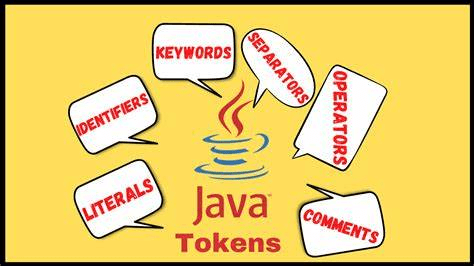
The tokens are the small building blocks of a Java program that are meaningful to the Java.
TYPES OF TOKENS:
- Keywords
- Data types
- Literals
- Operators
- Separators
- Comments
- Identifiers
1. KEYWORDS:
Keywords are reserved words.
keywords are used to perform specific action.
There are approximately 50 keywords.
RULES FOR KEYWORDS:
- All keywords are just a single word.
- All keywords are in lower case.
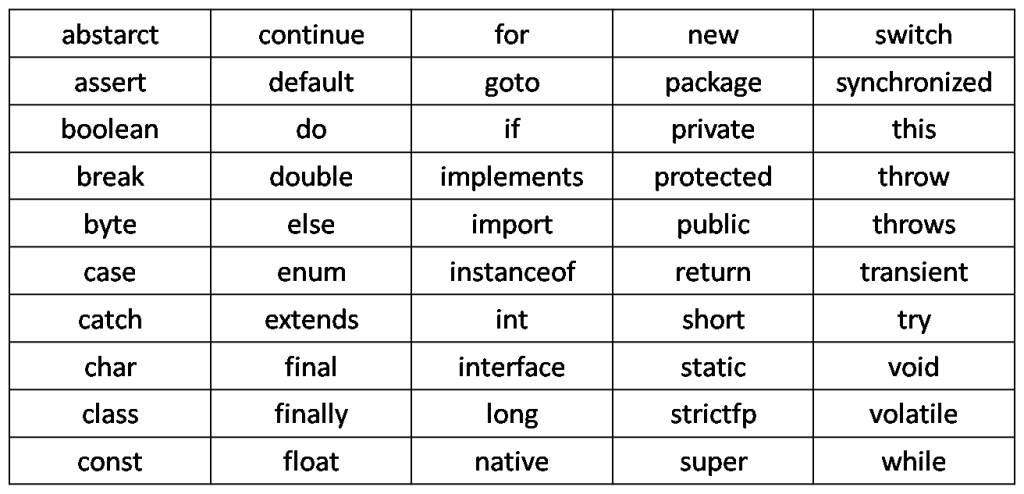
LIST OF KEYWORDS:
DATA TYPES:
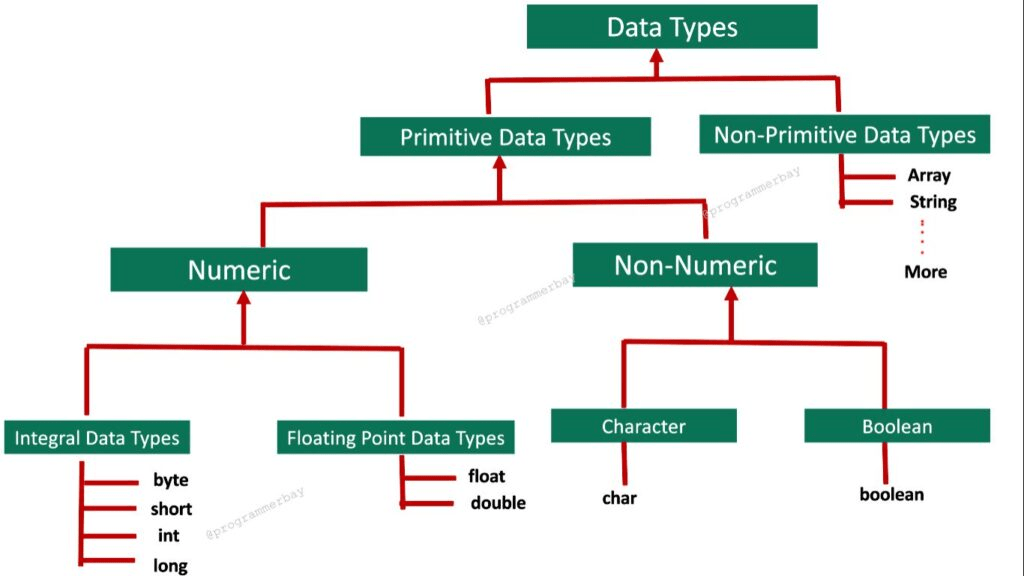
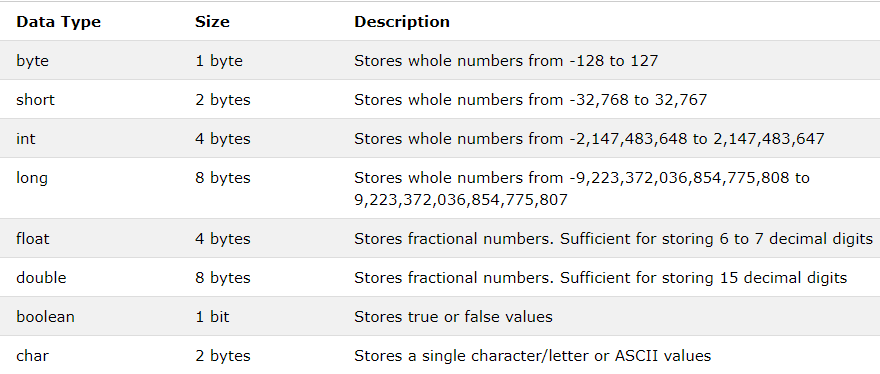
Data type specify the size and type of the data.
IDENTIFIERS:
Identifiers are case sensitive.
It is nothing but a sequence of one or more character, there is no maximum length.
Identifiers cannot starts with digits [0 – 9].
Obviously it should follow rules else will result in error.
Keywords shouldn’t be used as identifiers.
$(dollar) and _ (underscore) is only used, no other special character are allowed.
LITERALS:
Any constant value which can be assigned to the variable is called literal/constant.
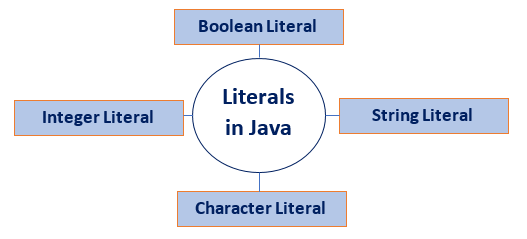
Integral literals: An integer literal is a numeric value (associated with numbers) without any fractional or exponential part. Integer literals are sequences of digits.
There are three types of integer literals:
Decimal Integer: These are the set of numbers that consist of digits from 0 to 9. It may have a positive (+) or negative (–) Note that between numbers commas and non-digit characters are not permitted. For example, 5678, +657, -89, etc.
Octal Integer: It is a combination of number have digits from 0 to 7 with a leading 0. For example, 045, 026, etc.
Hexa-Decimal: The sequence of digits preceded by 0x or 0X is considered as hexadecimal integers. It may also include a character from a to f or A to F that represents numbers from 10 to 15, respectively. For example, 0xd, 0xf, etc.
Character literals:
Character (Char) literals are expressed as an escape sequence or a character, enclosed in single quote marks, and always a type of character in Java.
Example: ‘a’ , ‘e’ , ‘o’ , etc…
String literals:
String literals are sequences of characters enclosed between double quote (“”) marks. These characters can be alphanumeric, special characters, blank spaces, etc.
Boolean literals:
Boolean literals have only two values and so are divided into two literals:
- True represents a real boolean value
- False represents a false boolean value
So, Boolean literals represent the logical value of either true or false. These values aren’t case-sensitive and are equally valid if rendered in uppercase or lowercase mode. Boolean literals can also use the values of “0” and “1.”
Example: true , false
Comments:
- Single line comment – //
- Multi line comment- /* */
Separator:
Separators help us defining the structure of a program.
; —–> Single line separator, technically called as terminator.
{} —–> Multi line separator, technically called as block.
Operators:
Operators are reserved symbols.
Every operator has a specific action to perform.
Types of operators:
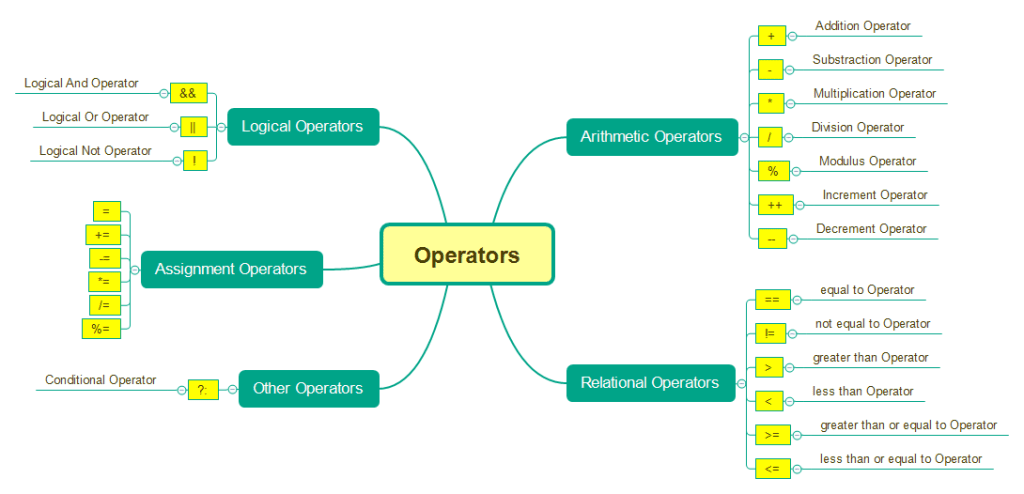
Arithmetic operator:
Arithmetic operators are used to perform simple mathematical operations.
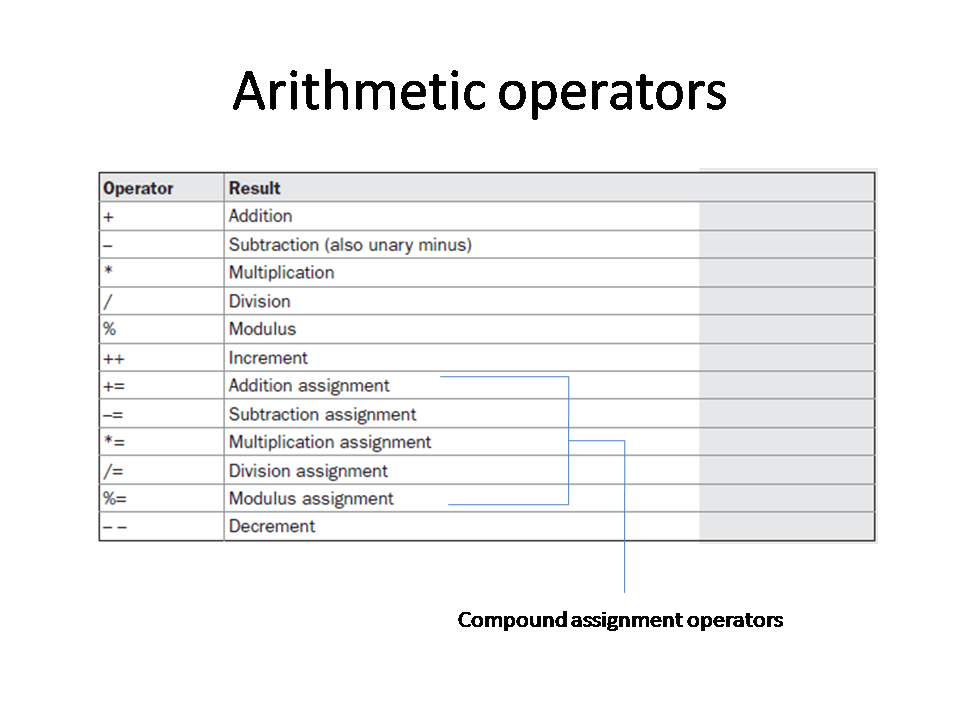
Logical operator:
Logical operators are used for performing the operations on one or two variables for evaluating and retrieving the logical outcome.
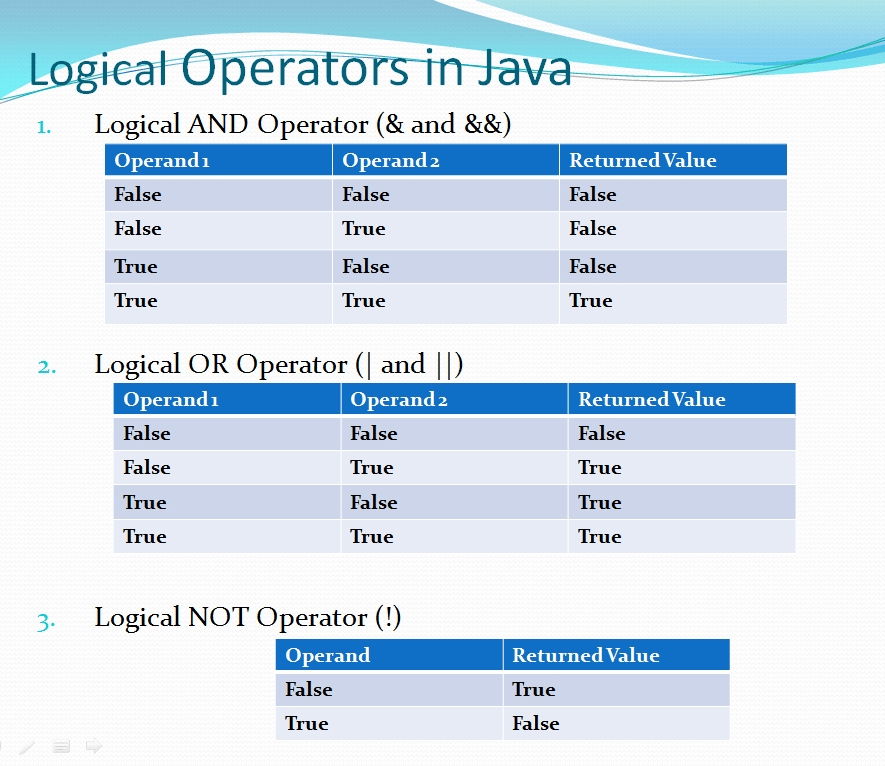
Relational operator:
The Relational operators compare between operands and determine the relationship between them.
| Operator | Meaning |
|---|---|
| == | Is equal to |
| != | Is not equal to |
| > | Greater than |
| < | Less than |
| >= | Greater than or equal to |
| <= | Less than or equal to |
Conditional operator:
Condition is a statement which gives either true or false.
(condition ? true : false ) ——–> eg: (9 > 7 ? 9 : 7)
Checks the condition whether true or false, if it is true then it will print the number before colon else it will print after colon.
Expression: Combination of operands and operators. eg: a + b, a > b , a == b , a – b.
Condition: All conditions are expressions, but not all expressions are conditions. The combination of operands and operators which gives o/p as value then we can’t use in condition. (NOTE: Can’t use arithmetic operators)
Assignment operators:
Assings the value to a variable.
Initialize: int a = 5; ——-> 5 is assigned to a
Reassign: a=15; ——-> New value is 15
 Site Title